
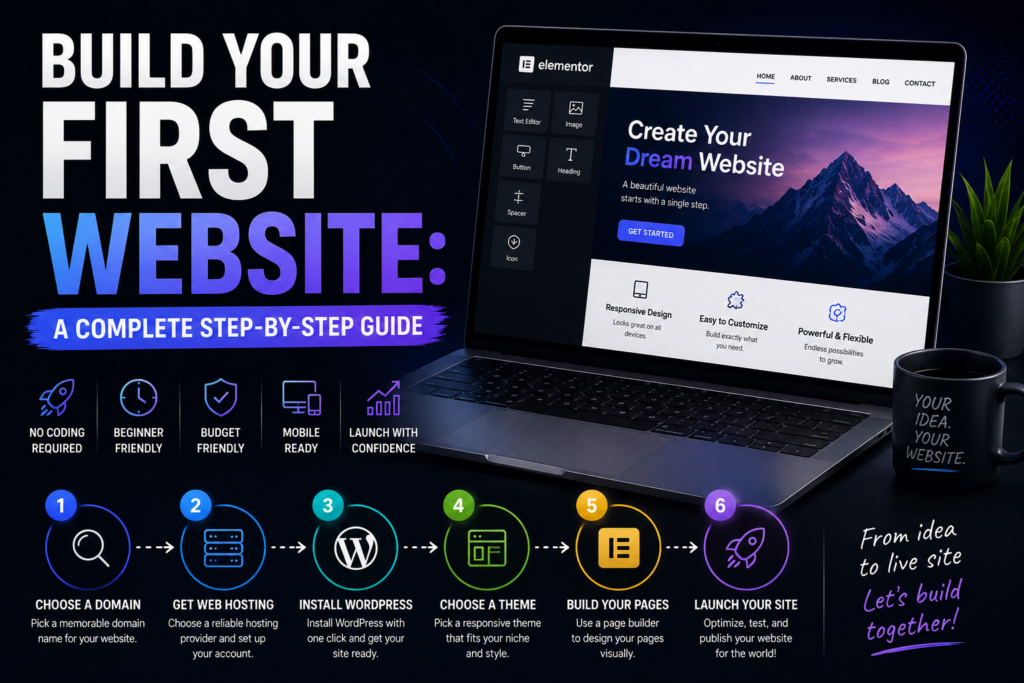
This guide exists because most “how to build a website” tutorials assume you already know what platform you’re using, what hosting means, and what the difference between a domain and a hosting plan is. Most beginners don’t know those things. This guide starts from zero.
By the end, you’ll have made every decision you need to make, understand why each one matters, and know exactly what to do next at each step.
If your goal is specifically to build a blog and monetize it, read the Beginner’s Roadmap to Launching a Profitable Blog alongside this guide – it covers the strategy layer that complements the technical setup here.
Before You Build: Two Questions Worth Answering First
Question 1: What is this website for?
Be specific. “A website for my business” is not specific. “A website that explains what my bookkeeping service covers, shows pricing, and has a contact form that qualifies prospects before they call me” is specific. The answer to this question determines which platform you need, what pages you build, and what “done” actually looks like.
Question 2: Who is going to maintain this?
If you’re comfortable logging into a dashboard occasionally to update content and check performance, most platforms will work fine. If the thought of managing technical maintenance makes you anxious, an all-in-one hosted builder (Wix, uKit, Squarespace) is genuinely the better choice over self-hosted WordPress – even if WordPress would technically be more powerful.
Step 1: Register Your Domain Name
Your domain is your website’s address. It’s the URL people type into a browser to find you. Get this right early – changing your domain later is painful.
Rules for a good domain:
- .com is still the default choice. Use it unless there’s a compelling reason not to.
- Shorter is better. Fewer syllables, fewer characters, harder to misspell.
- Avoid hyphens – they create confusion when shared verbally (“is there a hyphen?”).
- Don’t stuff keywords into your domain. It looks spammy and doesn’t provide meaningful SEO benefit.
- Make sure it’s not confusingly similar to a trademarked brand.
Domains cost approximately $10–15/year. Register through Namecheap, Google Domains, or through your hosting provider (many include a free first-year domain).
Step 2: Choose Your Website Platform
This is the most consequential decision in the process, and most beginners make it without adequate information. Here’s a framework:
Use a website builder if:
- You want to go live in days rather than weeks
- You don’t want to manage technical maintenance
- Your budget is modest and you want everything included in one subscription
- Your site is primarily a business presence, portfolio, or simple store
Use self-hosted WordPress if:
- You’re building a content-heavy blog with long-term SEO as a primary strategy
- You need a specific plugin or functionality that builders can’t provide
- You want full ownership and portability of your site
- You’re comfortable (or willing to learn) basic technical management
The Top 5 Website Builders Worth Your Money guide covers the best options in both categories with honest comparisons. For self-hosted WordPress, you’ll need to add hosting – my rating covers that decision.
Step 3: Set Up Hosting (Self-Hosted WordPress Only)
If you’ve chosen a website builder, skip this step – hosting is included in your subscription.
For self-hosted WordPress:
- Choose a hosting provider (see guide linked above)
- Select a plan – for a new site, a basic shared hosting plan is sufficient
- Register or connect your domain during checkout
- Use the one-click WordPress installer (all major hosts have this)
- Note your WordPress admin URL, username, and password
The whole process takes 20–30 minutes. If you hit a snag, every reputable host has live chat support.
Step 4: Choose and Install Your Theme or Template
Your theme (WordPress) or template (website builders) is your visual starting point. This is not your permanent design – it’s a foundation you’ll customize. Choose something that’s:
- Close to your intended style. Picking something you’d need to completely redesign defeats the purpose.
- Fast. Avoid themes with heavy animations, large background videos, or excessive visual complexity.
- Actively maintained. For WordPress themes, check the last update date – abandoned themes are a security risk.
- Well-reviewed. 500+ installations and consistent positive ratings are a good baseline.
For WordPress: GeneratePress and Astra are fast, lightweight, and extremely customizable. Kadence is a strong third option. All have generous free versions.
For website builders: spend time in the template gallery filtering by your industry. Preview 5–10 options on mobile before choosing – template lock on Wix means this decision matters.
Step 5: Build Your Core Pages
Don’t launch a 40-page website. Launch with these five pages, done properly, and add everything else over time.
Homepage Your clearest statement of what you do, who you do it for, and what they should do next. The headline should answer the question “why should I care about this site?” within five seconds. One primary CTA, above the fold.
About The most-read secondary page on most websites. Make it personal and specific. Why are you qualified? What’s your story? Why does this business or blog exist? Generic mission statements are wasted space.
Services or Work What you offer. Be specific about deliverables, who they’re for, and outcomes. Testimonials or case studies here have an outsized impact on conversion.
Contact Your contact form, email address, and any other relevant channels. If you want better-quality inquiries, consider replacing a generic form with a structured intake form or calculator.
For the best contact and inquiry tools, see the Top 5 Form & Calculator Tools.
Blog (if applicable) Even a placeholder blog page, ready for your first content, establishes the publishing channel from launch day.
Step 6: The Pre-Launch Checklist
Before you make your site live, run through this list:
- [ ] All pages have unique title tags and meta descriptions
- [ ] All images have descriptive alt text
- [ ] Contact form tested and submissions delivered to the right inbox
- [ ] Mobile layout reviewed and adjusted where needed
- [ ] Site loads in under 3 seconds (test with PageSpeed Insights)
- [ ] Google Analytics connected
- [ ] Google Search Console connected and sitemap submitted
- [ ] SSL certificate active (your URL shows https://)
- [ ] No broken links or placeholder content visible
- [ ] Privacy policy and cookie notice in place (legally required in many jurisdictions)
Step 7: Launch, Announce, Iterate
Launch day is not the finish line – it’s the starting gun. Once the site is live:
Tell people. Email your network, post on your professional social channels, list in relevant directories. You’re not going viral on day one – you’re planting seeds that compound over months.
Start your SEO immediately. Google Search Console from day one. A basic keyword tool within the first month. Internal links built as you add content.
Don’t redesign for six months. New website owners are almost always tempted to redesign before they’ve given the current design enough time to prove itself. The first redesign impulse after launch is almost always premature. Collect data first.
Start collecting email addresses immediately. Even with minimal traffic, every subscriber you miss in the first three months is a lead that never re-appears.
Using Wix or uKit, you can be live in a weekend. Self-hosted WordPress, done properly, is a 1–2 week project. Either way: done and live beats perfect and delayed, every time.