
Wix is the most searched website builder on the internet, which means it’s also the subject of more conflicting reviews than any other platform in its category. Some reviewers call it the obvious best choice for everyone. Others insist it’s a toy that serious website owners should avoid. After building and managing Wix sites across a range of real projects, I have a more nuanced take.
This review isn’t going to pad the verdict with maybes and “it depends.” I’ll tell you exactly what Wix is good at, where it genuinely falls short, and who should and shouldn’t use it.
Bottom line before we start: Wix is the right choice for the majority of the people reading this. That majority has limits, and I’ll be clear about where those limits are.
The Testing Context
I’ve used Wix to build:
- A portfolio site for a graphic designer
- A lead-generation site for a local renovation contractor
- A service/pricing page for a consulting firm
- A small online store for an artisan food brand
- A blog that currently generates affiliate revenue
That range matters. Wix behaves differently across these use cases, and a review based only on “I built a homepage with it” isn’t useful.
Pricing: What You’re Actually Paying
Wix’s pricing structure :
| Plan | Monthly Price | Key Limitation |
| Free | $0 | Wix subdomain + ads |
| Light | $17/mo | 2GB storage |
| Core | $29/mo | 50GB storage |
| Business | $36/mo | Full e-commerce |
| Business Elite | $159/mo | Unlimited storage |
The renewal reality: Like most website builders, Wix advertises introductory pricing. The figures above are standard rates. Your first-year bill may be lower; factor renewal rates into your actual cost model.
My recommendation on plan selection: Light is the minimum for a credible business site (removes the Wix branding and connects your own domain). Core covers most growing businesses. Business only if you need e-commerce. Business Elite for high-volume stores where advanced analytics justify the cost.
For comparison, uKit starts at $4/mo with comparable core functionality for service-focused sites. The price difference matters if budget is a constraint.
The Editor: Exceptional Power, Mild Learning Curve

Wix’s editor is genuinely best-in-class among drag-and-drop builders. The key architectural difference from competitors: elements are not constrained to a grid or column system. You can place any element – text, image, video, button, form, widget – at any position on the canvas and resize it freely.
This creates two experiences depending on who’s using it:
For design-intuitive users: The freedom is extraordinary. You can build something that looks genuinely custom without touching a line of code. The design ceiling is higher than any other drag-and-drop platform.
For users without a design eye: That freedom becomes a liability. Without grid constraints, it’s easy to produce layouts that are inconsistent, unbalanced, or cluttered. My recommendation for this group: pick a template and work within it rather than starting from scratch.
The mobile editor issue is worth understanding before you commit. Wix maintains separate desktop and mobile layouts. When you edit the desktop version, the mobile layout doesn’t automatically sync perfectly – you need to check and often adjust the mobile view separately. This is a genuine time cost, not a fatal flaw, but it’s different from builders that auto-adapt.
Template Library: 900+ Options, One Critical Rule
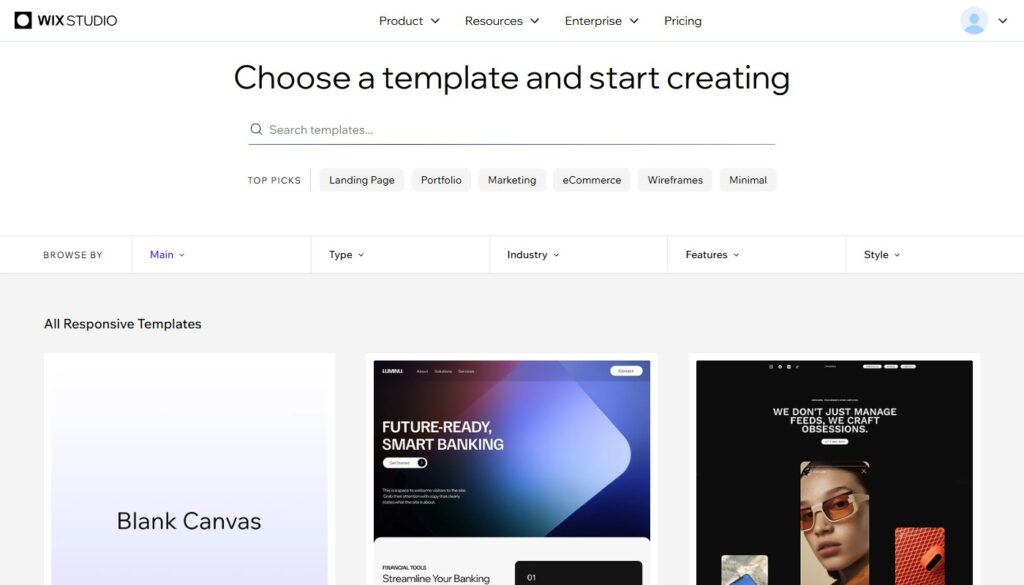
Wix has the largest template library in the industry: over 900 designs organized by industry and use case. Quality is consistently high. For most niches, there are multiple credible starting options.
The one rule you must know: You cannot switch templates after publishing your Wix site without rebuilding from scratch. This is not a bug – it’s an architectural consequence of Wix’s free-form editor. Changing templates would break all your custom element positions.
This means template selection is a significant decision. Spend time on it. Preview your shortlist on mobile. Consider what functionality you’ll need in six months, not just today. Rebuilding because you chose the wrong template is expensive in time.
SEO: The Stigma Is Outdated
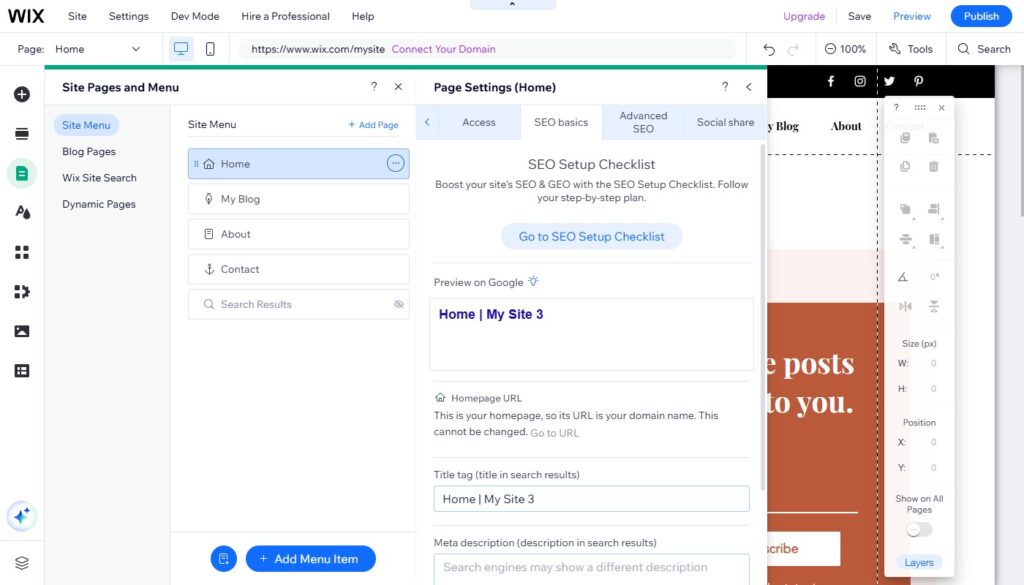
Wix developed a poor reputation for SEO several years ago that, frankly, the platform no longer deserves. , Wix gives you:
- Full control over title tags and meta descriptions per page
- Canonical URL management
- Redirect creation (301s)
- Structured data (JSON-LD) for key schema types
- XML sitemap auto-generation and Google submission
- The Wix SEO Wiz: a personalized audit tool with step-by-step recommendations
For the vast majority of sites, this is sufficient. You can rank well on Google with a Wix site. I’ve done it across multiple projects.
Where the gap remains: Technical SEO at the advanced level – custom robots.txt editing, granular log file analysis, advanced hreflang configuration – is more constrained on Wix than on self-hosted WordPress. If technical SEO depth is critical to your business, the 5 SEO Tools guide explains what you’ll still need in your external toolkit regardless of platform.
App Market: The Ecosystem Advantage
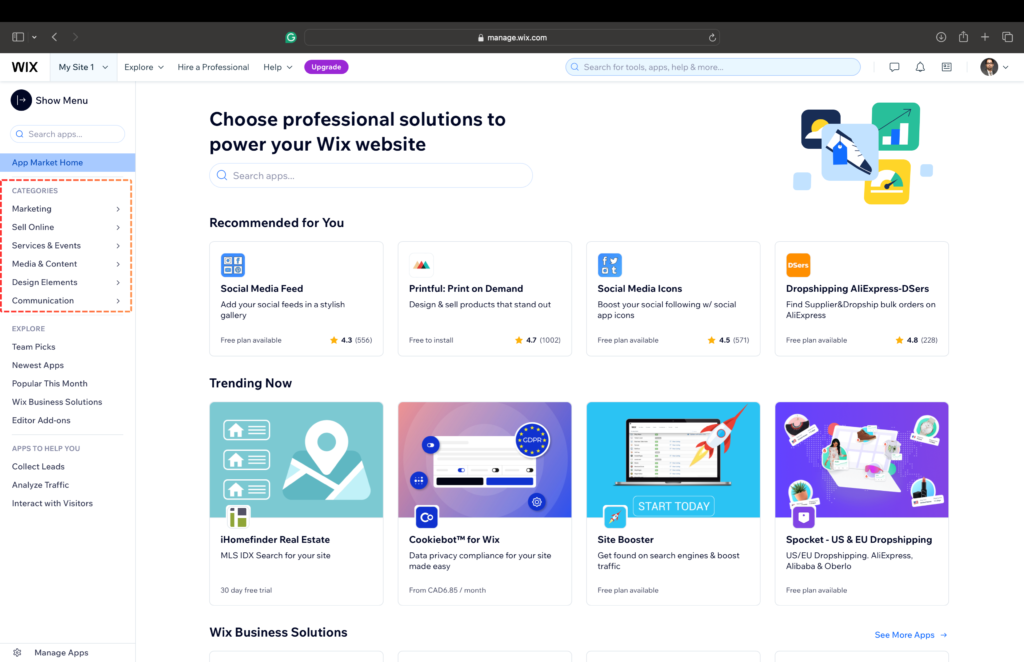
300+ apps in the Wix App Market cover virtually every functionality gap you might encounter as your site grows. Key categories:
Marketing: Mailchimp, Constant Contact, Facebook Ads, Google Ads
Customer engagement: Live chat (Tidio, Intercom), reviews, loyalty programs
Bookings and scheduling: Wix Bookings (native), Calendly
E-commerce extensions: Print-on-demand, dropshipping, subscriptions
Analytics: Google Analytics, Facebook Pixel, Hotjar
Forms and calculators: Multiple options – for interactive calculators specifically, external tools like uCalc embed cleanly into Wix
This extensibility is a genuine competitive advantage. You can start with a basic site and add functionality as you need it, without migrating platforms.
E-commerce Assessment
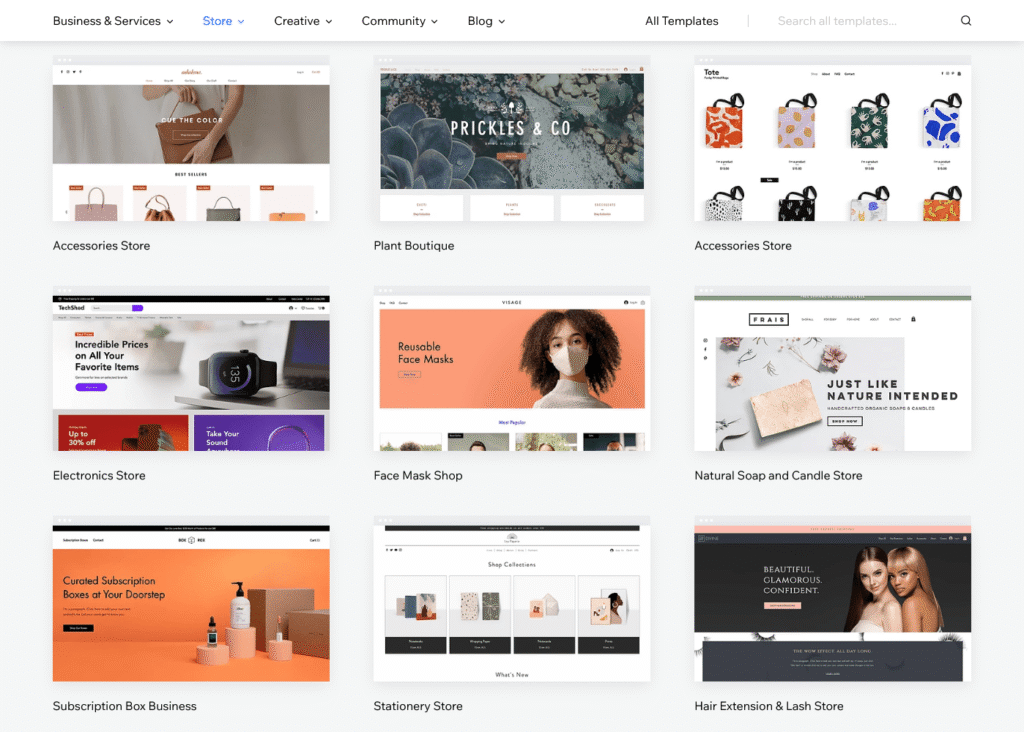
Wix Stores has matured substantially. Current capabilities:
- Physical and digital product sales
- Inventory management
- Multiple payment gateways (Stripe, PayPal, Square, offline payment)
- Abandoned cart recovery
- Product variants, options, and custom fields
- Basic shipping rate configuration
- Discount codes and gift cards
Verdict on Wix e-commerce: Fully capable for stores with fewer than 500 products, moderate order volume, and standard fulfillment. Not the right choice for high-SKU catalogs, complex fulfillment logic, or subscription commerce at scale (where Shopify is the purpose-built solution).
Pros and Cons
Strengths:
- Most flexible drag-and-drop editor available
- Largest template library in the category
- Deep app ecosystem (300+ integrations)
- Genuinely improved SEO capabilities
- Built-in bookings, events, blog, and e-commerce
- Wix ADI generates a starter site automatically
- 24/7 support (chat + phone callback)
Weaknesses:
- Template lock – cannot switch after publishing
- Free plan includes Wix branding and ads
- Mobile editor requires separate attention
- Advanced technical SEO is more constrained than WordPress
- Renewal pricing higher than intro rates
Who Should Use Wix?
Small businesses, consultants, and freelancers who want a professional site without managing WordPress. Bloggers who want design flexibility without technical overhead. Creative professionals building portfolio sites. Entrepreneurs testing a concept quickly.
Who Should Look Elsewhere?
Content-heavy bloggers prioritizing long-term SEO → self-hosted WordPress
Budget-first service businesses → uKit at $4/mo covers the core needs at a lower price
Professional designers needing code-level control → Webflow
Large-scale e-commerce → Shopify
Final Verdict
Wix’s combination of design freedom, feature depth, and continued investment in the platform makes it the default recommendation for the majority of the sites I’m asked to advise on. The template-lock constraint is real and worth understanding before you commit. For everyone else: Wix delivers.